Argo CD
This guide will walk you through interacting with the kubernetes cluster through our Argo CD dashboard. To learn more about Argo CD refer to the Argo CD documentation.
Setup Command
Run the command ssh -D 1080 bora in a terminal.
Setting Up the Proxy
We recommend using Mozilla Firefox as the internet browser to access the dashboard through, as these instructions apply specifically to setting up the proxy on Mozilla Firefox.
- Save the following code to
~/.proxyprofile.pac: - Adjust the network settings in Firefox to look like so (see image below), adjusting the file:/// path to reflect your home directory's location
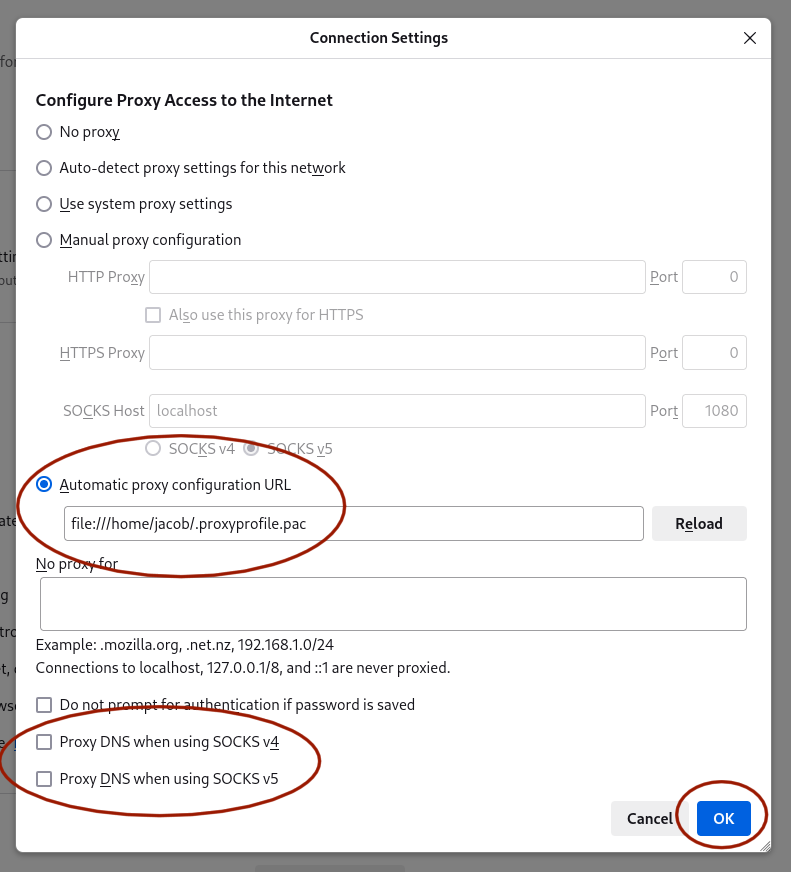
Now, Firefox works no matter what, and most any traffic not passed through the proxy at all. If the URL ends with .nova.sciclone.wm.edu, however, Firefox will insist on pushing it through the SOCKS proxy on port 1080. This will only succeed, of course, if you have the proxy live using the SSH command listed above.
Accessing the Dashboard
Once you have configured your network setting on Firefox, navigate to argocd.nova.sciclone.wm.edu to see the dashboard. Log in using the given credentials. From here you can access various namespaces and pods associated with each namespace.
Accessing Pods through the Dashboard
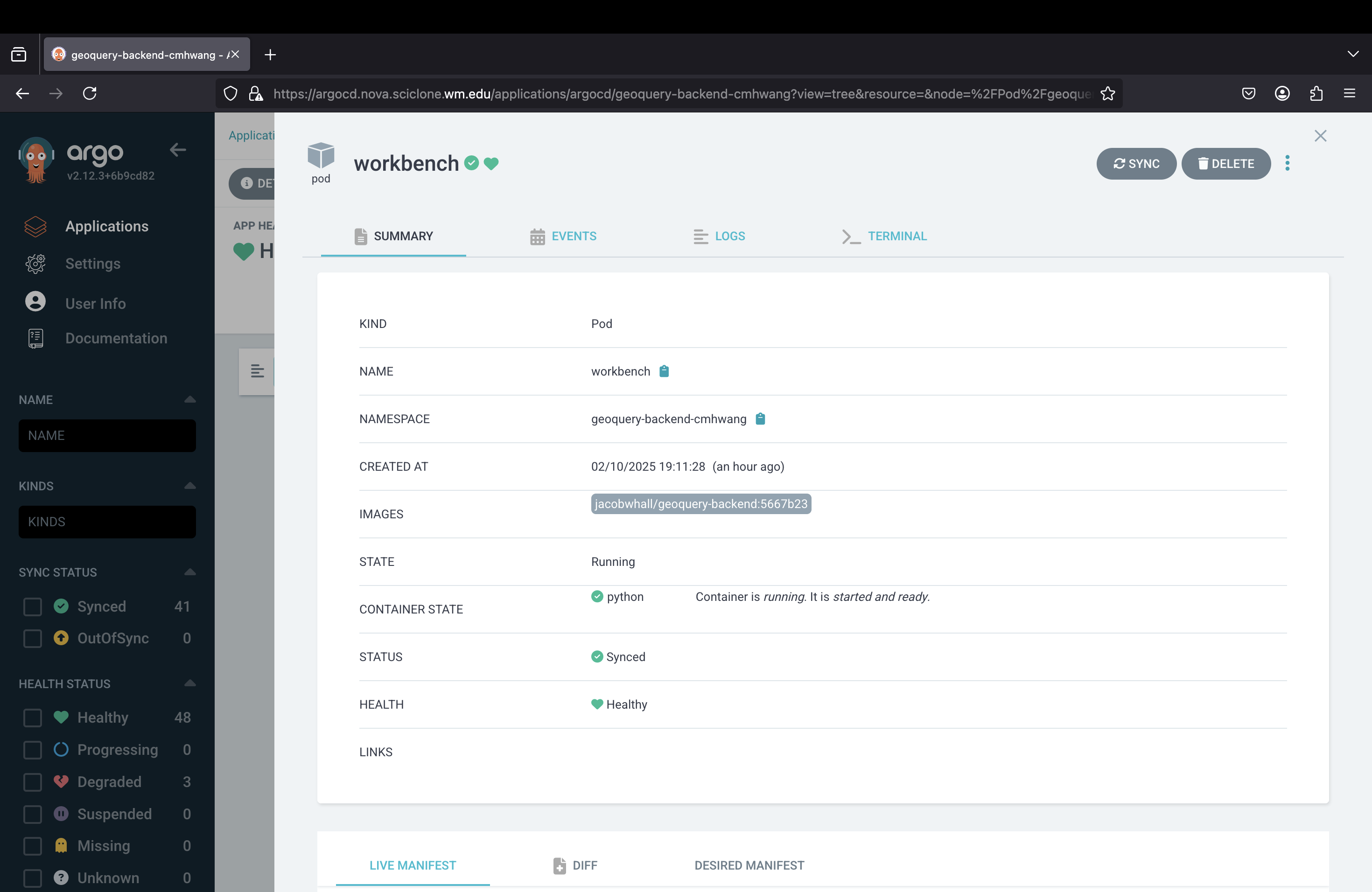
On the Argo CD dashboard click into your desired namespace. Here you will see a diagram of all of the features and services in the namespaces, including the pods. Click on your desired pod and from here, click on the tab for the terminal (see image below). Here you can interact directly with pod, sending commands and more.